
How to edit/change the text/copy in the emails that are sent out to the customers?
Steps to edit the text in the download email sent to customers on Big Digital Download:
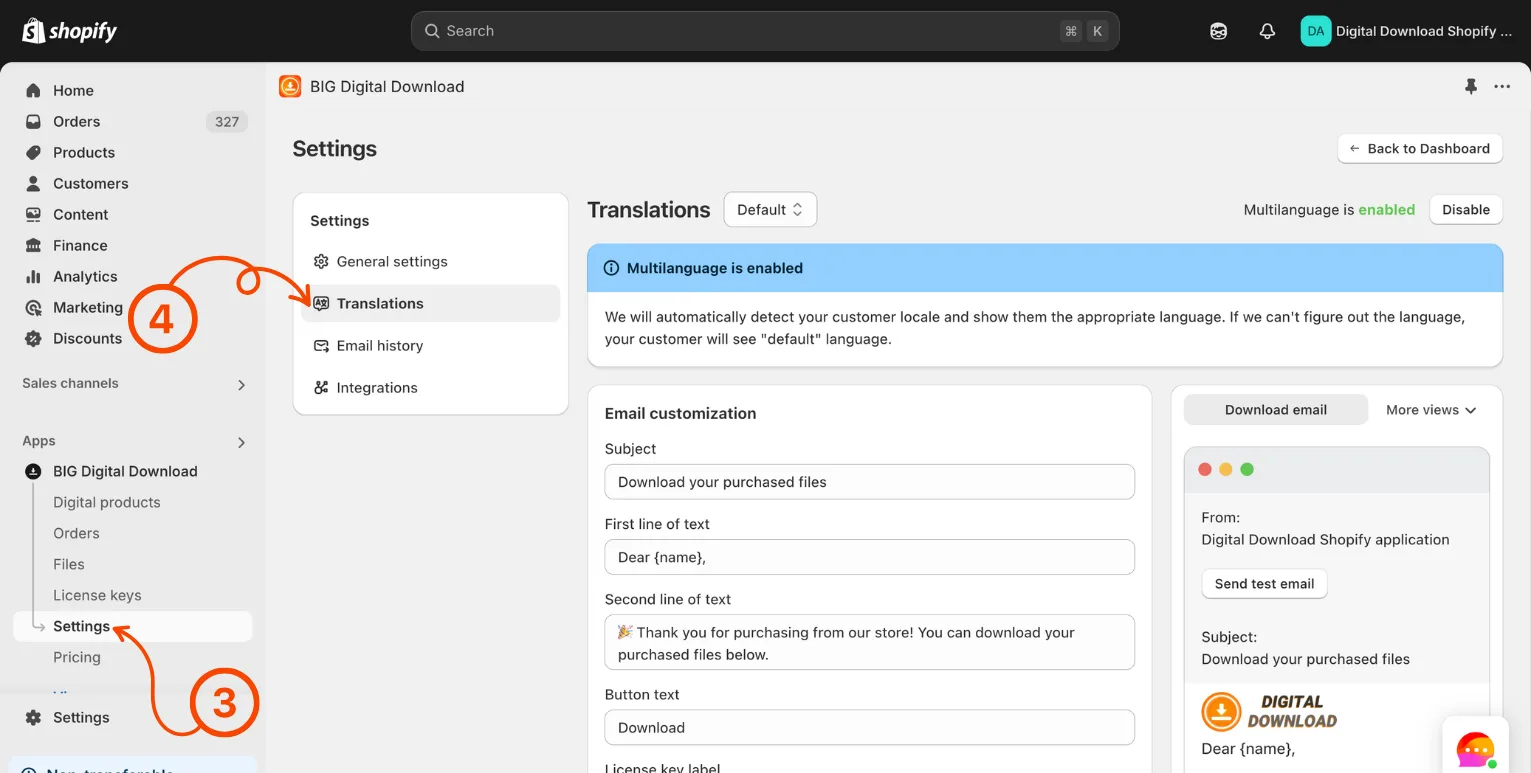
- In your Shopify admin dashboard look at the left hand panel and click on Apps.
- Click on Big Digital Download.
- Click on Settings.
- Click on Translations.
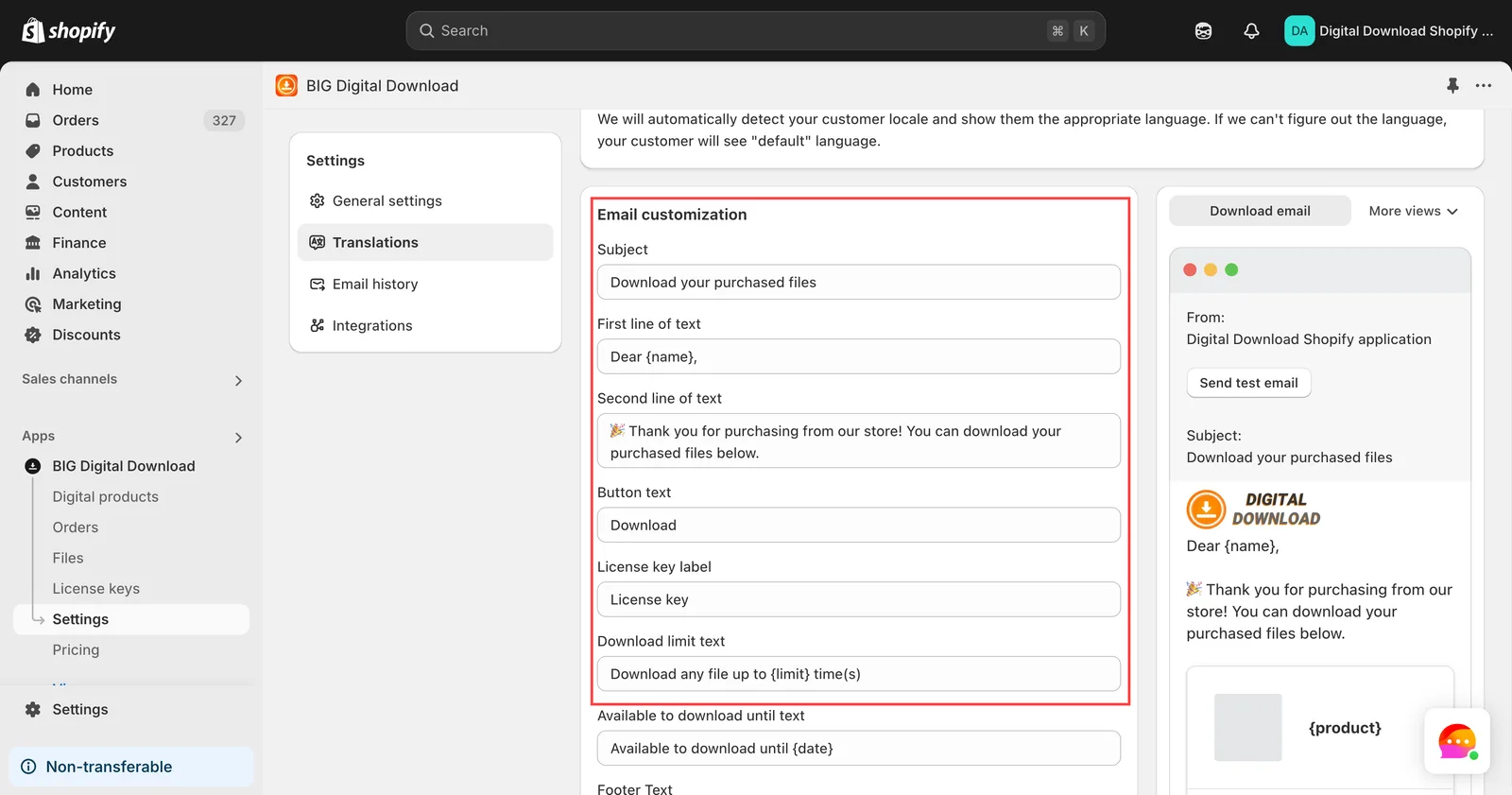
- Edit the text to meet your needs
Did this answer your question?