
Can we bulk add products?
Yes this is possible!
Set up BIG Digital Downloads quickly, or migrate your setup from another app, with a CSV.
Steps to bulk add digital products:
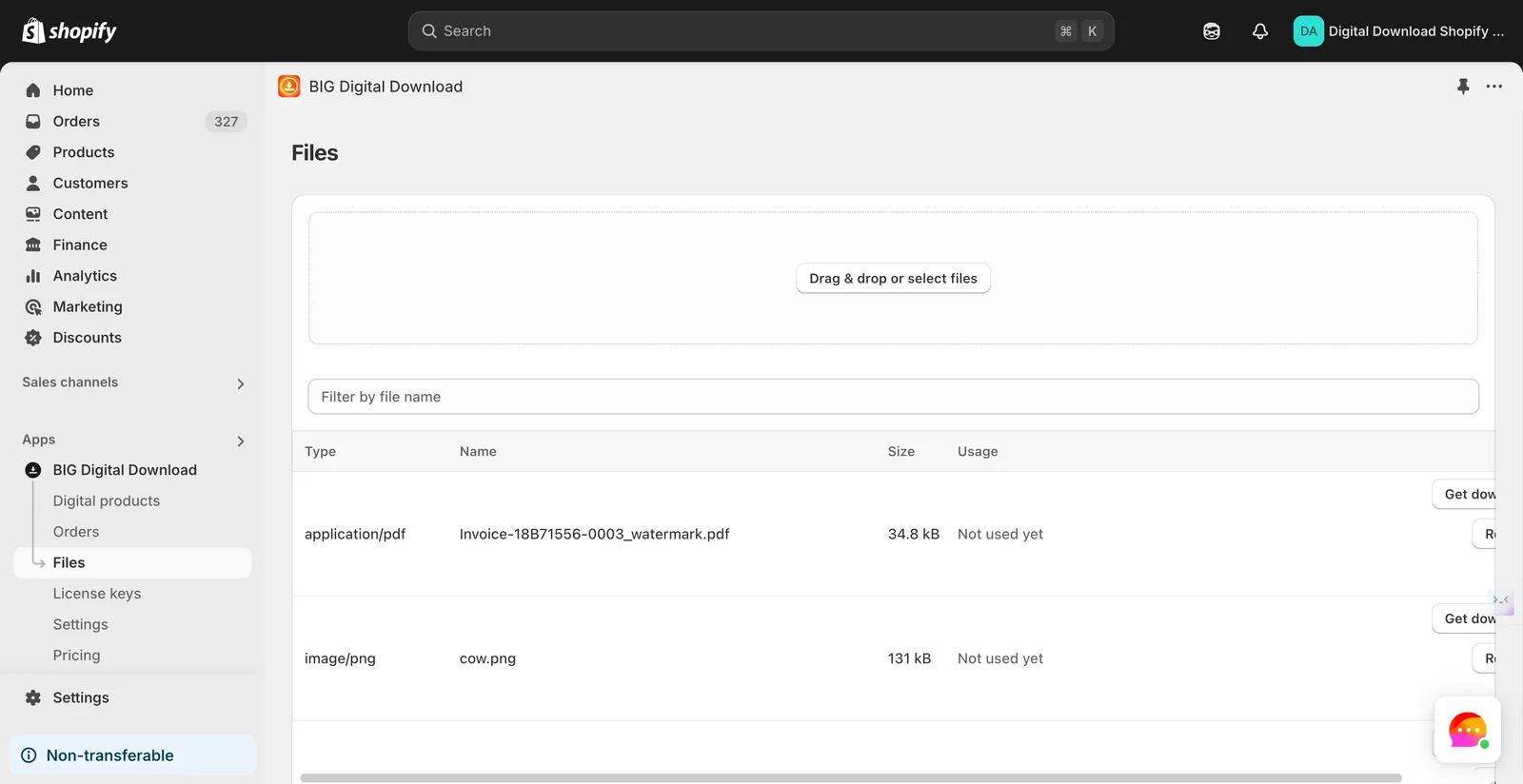
- Upload Your Files. Before anything else, make sure that all your digital files are uploaded in the Files tab of our app. This is a mandatory first step to ensure everything is ready for import.
- Duplicate the Template. Download our BIG Digital Downloads Bulk Import Template and duplicate it: Go to File > Create a copy in your spreadsheet editor.
https://docs.google.com/spreadsheets/d/1M29B1pMg9qIItFEPCMwc2RnAhW_wMtLNkXdXUbCqKms/edit?gid=0#gid=0
- Follow the Instructions in the Template. Carefully read all the instructions provided in the template. Ensure that you fill out every required field correctly.
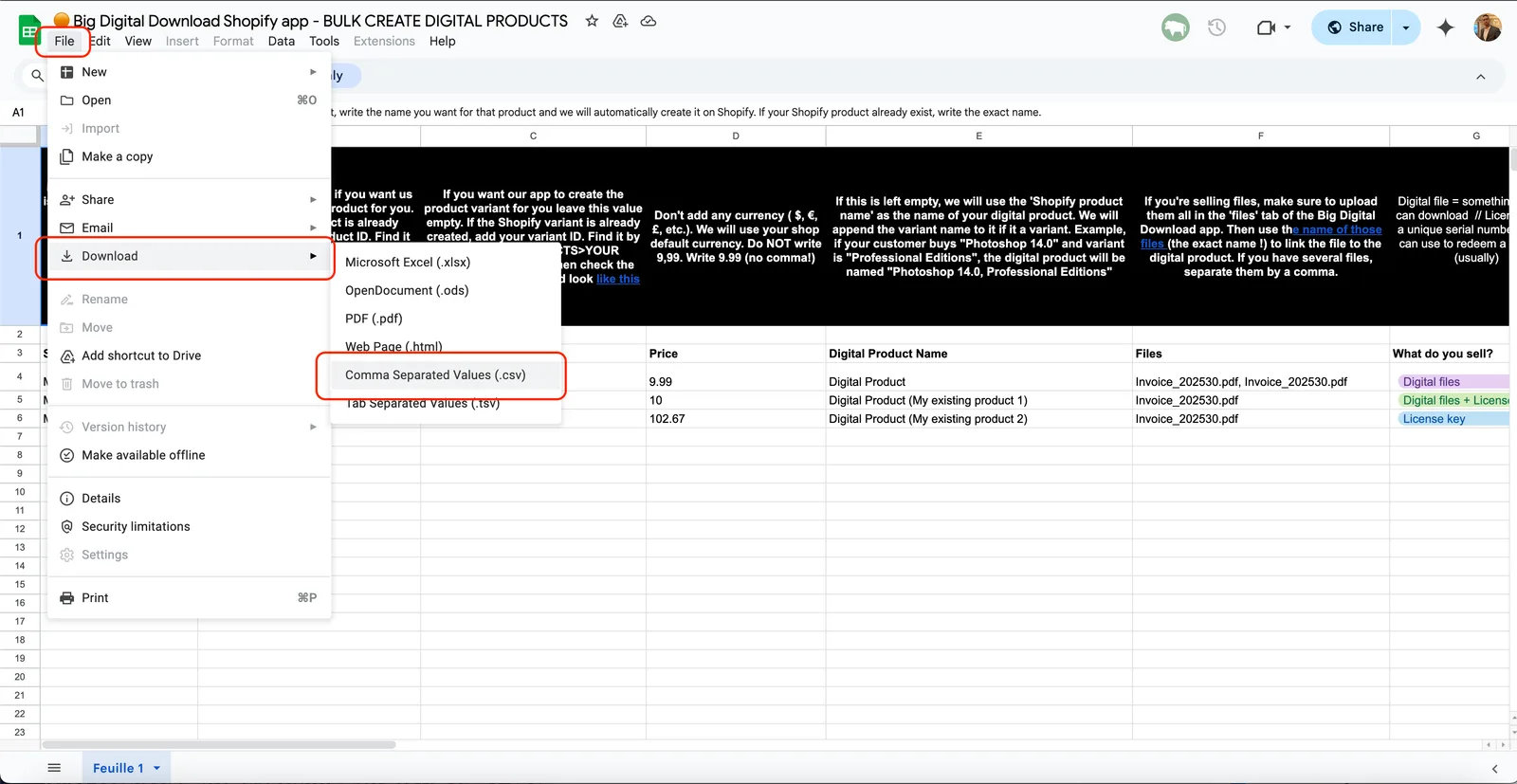
- Export as CSV Once the template is complete, export it as a CSV file: Go to File > Download > Download as CSV in your spreadsheet editor.
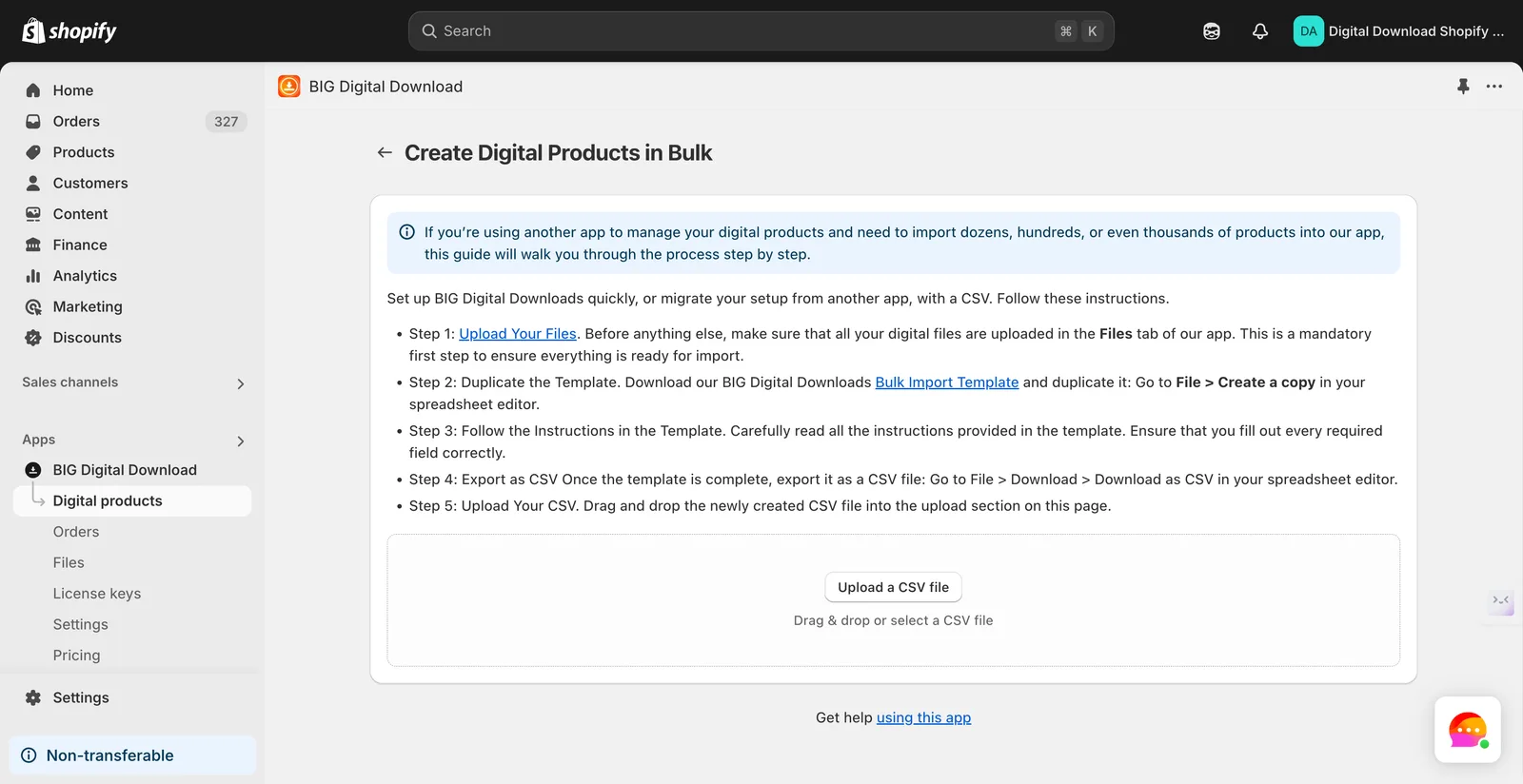
- Upload Your CSV. Drag and drop the newly created CSV file into the upload section on this page.
Possible Errors:
- Missing files: Make sure you have all the files uploaded before trying to bulk upload
- Improperly filled fields: Make sure to double check all of the inputs
Did this answer your question?